![Official Website for Dustin Miller PolyInnovator [LLC]](https://www.polyinnovator.space/content/images/2025/03/polyinnovator-logo-2024.png)


Look I won't say I am the first one to try and do this, but I will say I think I am one of the first who is full sending into it. Before I get into the post, if you are one of the people also trying to do this, then I encourage you to reach out so we can nerd out about it. Maybe we'll record a video too. I don't see others doing the AiO thing as competition, but rather that we are in this together.
In my view of Obsidian it is the most programmable, or perhaps the better word is extensible, personal knowledge management tool on the market. Where you can build whatever you want like Legos with Notion you are still locked into their way of building. You can't take the megablocks or whatever, and then add onto it. Analogies aside, the Obsidian mindset is that of note taking, plus whatever plugins you are adding to it. Core or Community, or what a lot of users forget about: Beta plugins as well.
By utilizing plugins strategically, and finding ways to incorporate new features into your actual workflow. Then you can create a system that encapsulates all of the productivity needs you have.
Note Taking (Daily, Weekly, Monthly, etc)
Obviously this is one of the major features going for Obsidian, and the note taking capability is already high. I even would argue that it is great for long form writing as well, even without plugins. Although there are some for manuscript type writing. The core daily note plugin is pretty mediocre, and even though the periodic notes plugin is popular it is lacking a lot too. The plugin I choose is the Journal plugin, which gives you a better mini calendar, and more control over the yearly-daily notes structure.
Especially since my PIOS system is based on a Yearly to Daily + Archive file folder information architecture. This plugin is imperative to keep around.
Doing daily notes helps you keep track of how you are feeling, habits, plans, todo/tasks, and sharing what happened on a certain day. I will note that I need to be better at doing them more consistently.
Weekly notes to me are mostly just used for planning, seeing the week as a whole, and if you use them differently I would be curious to see how.
Monthly notes surprisingly are my most consistent thing I've done, as I use them as a piece of content on the 1st of the month. Sharing with the world what is happening personally/professionally in my life, with my 🍃 NOW Page posts. Something I picked up from Derek Sivers.
Quarterly Notes I think for a lot of people are used for many different purposes. I've been trying to apply the 12 week year concept, so that I can be more productive with my quarterly notes. Although for me it is more about alignment with the major aspects of life. I.e. Four Pillars and Ikigai.
Yearly notes are looking back/reflection, then taking that into the new year preview/planning.
The journals plugin allows me to keep all of these various layers separate, organized, and always using the right template.
 srg-kostyrko
 Dustin Miller | PolyInnovator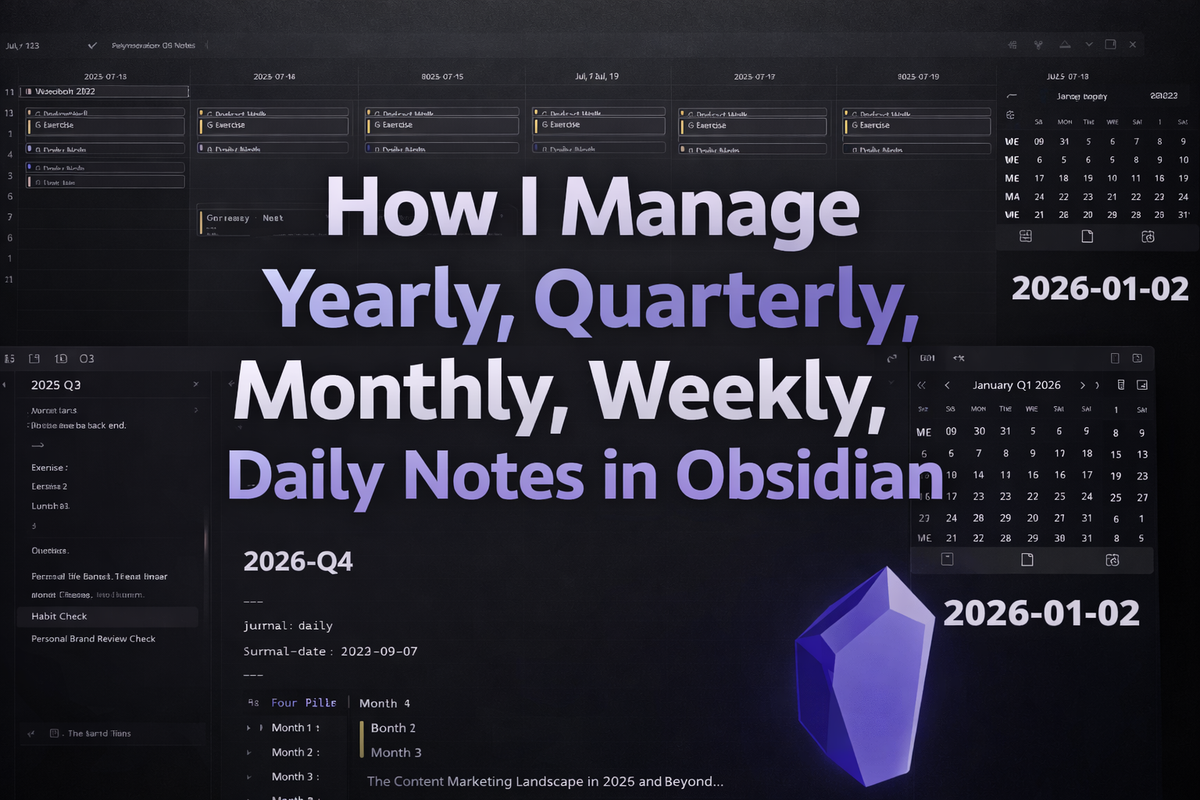
Databases and Project Management
For the longest time this was a huge weakness of Obsidian, as with my experience the Projects community plugin, make md, and some of the other popular PM plugins; None of them actually worked, and it was very frustrating to try and use them. Make md actually froze my vault every time I tried to use it. Projects constantly had visual issues, and wouldn't let me change any columns for meta data (which defeats the entire purpose).
Now that there is a core plugin, Bases, the ease of organizing all of the data into a specific view is so much more easy to accomplish.
With a plethora of kanban, even some eisenhower matrix, and of course database plugins to choose from. As well as various views for the core bases plugin. The need for organizing data for project management is fulfilled. One of the major needs I had moving from notion, was being able to organize my content database with a calendar view. Now there are plugins for that.

Web Browsing and RSS Consolidation
This is some of the newer features. Such as the core web browser plugin, alongside the popular RSS dashboard community plugin.
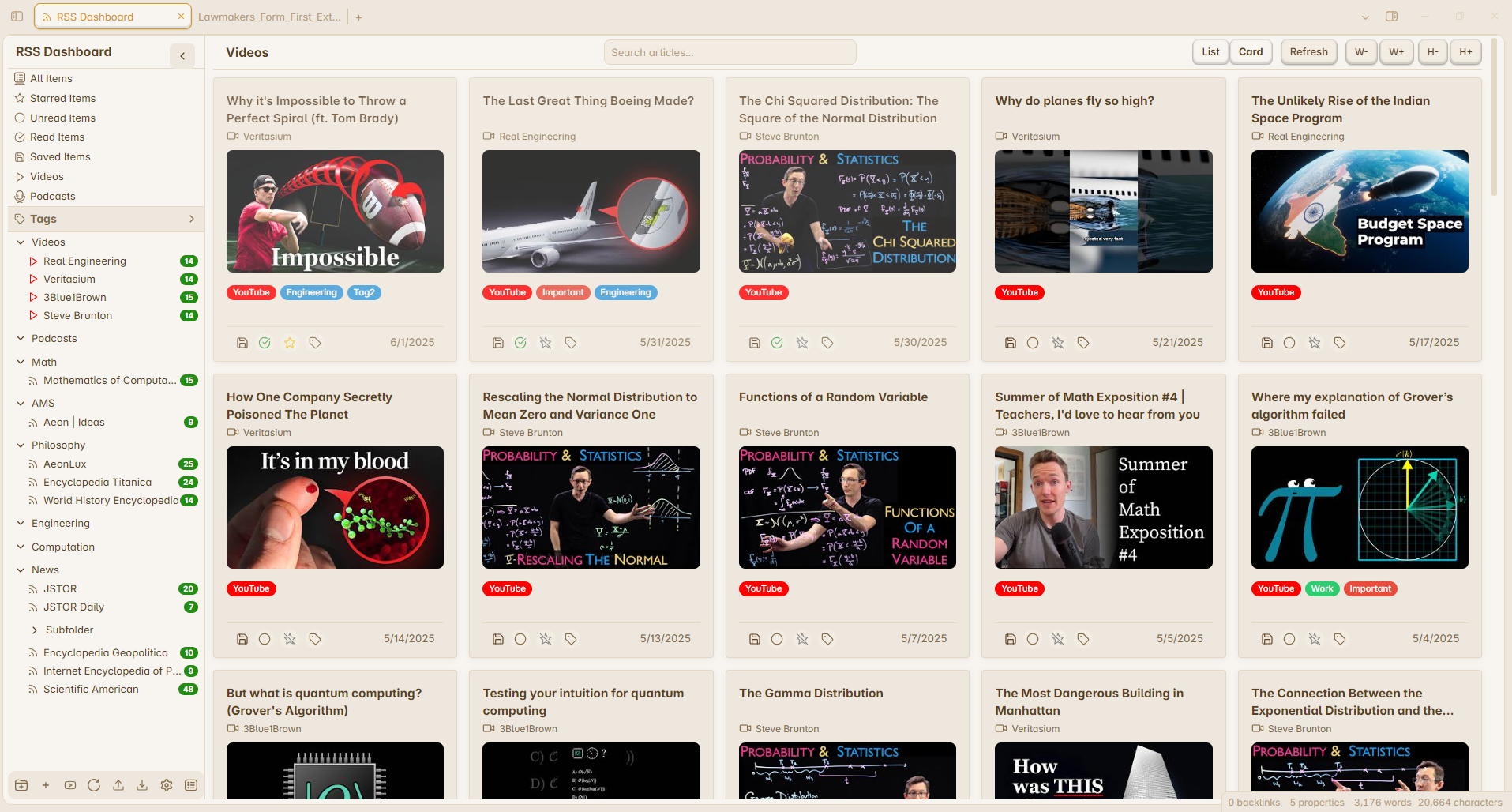
Using these you can use your Obsidian as your web browser, and decrease the amount of context switching you are doing. Now I'm still not sure how or if it saves passwords for the web browsing, and so that may make it hard to use.
Let alone whether or not it is secure. Although it is certainly a start!
 amatya-aditya
Task Management*
I'll admit this is an area that I falter in quite often, as I don't use the Tasks plugin very deeply.
However task management is often a personal thing, and most people tend to do things differently. For example I like doing a scratch pad, although I have to be careful to not let the list run wild.... which as of the time of this writing it has. I'm slowly working my way through it!
Other ways would be to use task kanbans, task databases, or various calendar based task management plugins.
Scratch Pad Todo List
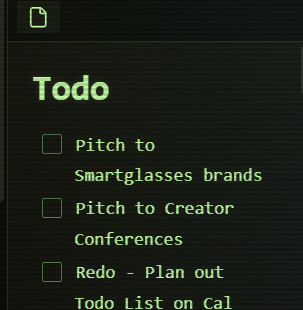
This is just a note in my archive folder that I have dragged over to the side bar, that way I have constant access to view it. Just make sure you don't have that as your "selected" note when you are saving stuff with the web clipper, as it can change it to the newly saved note.
Daily View of my Content Production Base
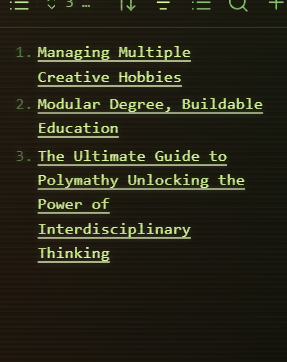
Since my content plan is based on a calendar format (took a while to plan out a whole year's worth of posts). The idea came to me after trying to use css snippets, or even various plugins, in order to view what notes needed to be done on a given day. Within the daily note itself.
However by embedding this view of a database, it allows me to see what posts need to be done on any given day. This use case can be modified in a lot of ways.
Calendar
To this day, even after a few updates to the "full calendar" plugin, there are no good plugins for using a calendar in obsidian. I know that some people work off the mini cal in the corner, and technically I use it too. However it doesn't tell you what is on your calendar from say ICS or google cal, etc, which is a real weakness.
The big calendar plugins often are broken, or have terrible UI that you can't really use them.
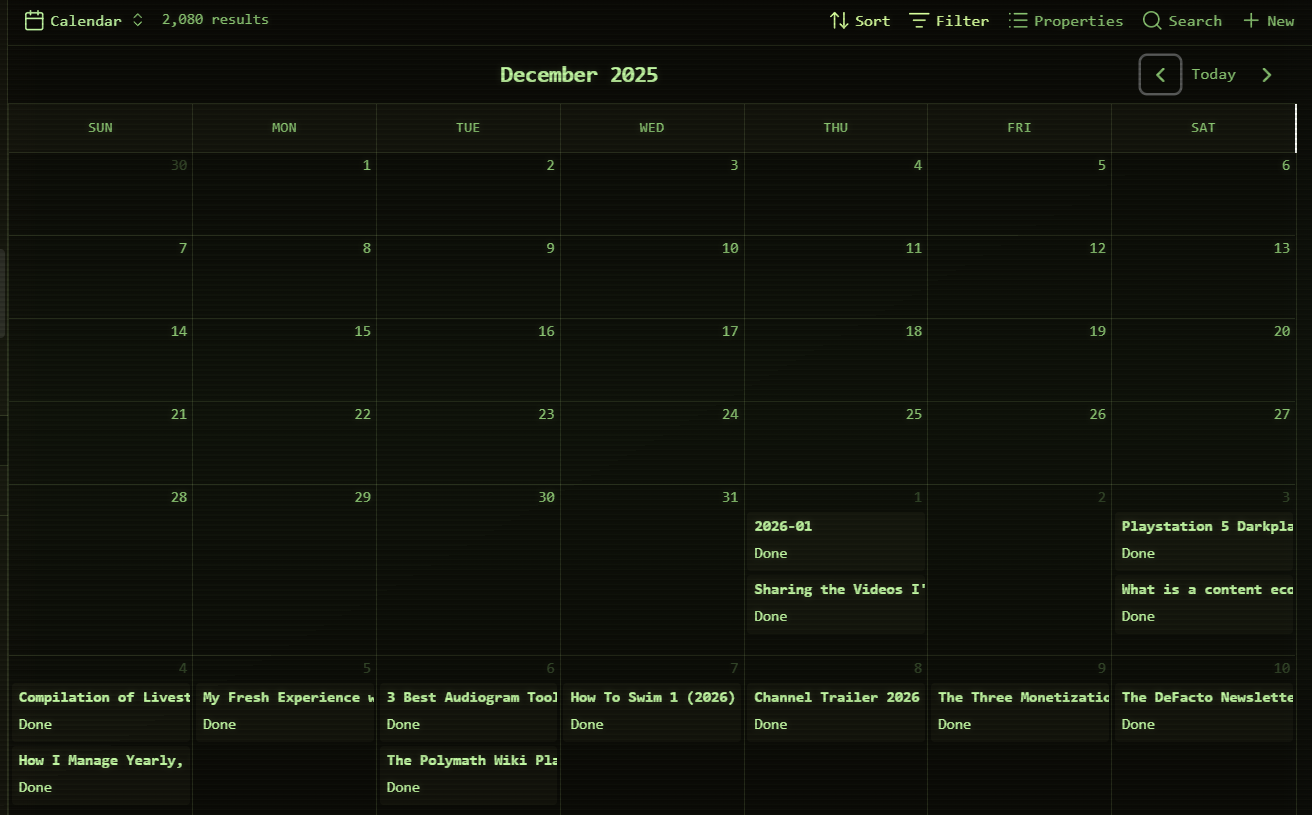
For now I just use a calendar view for bases plugin, and work off of that for my content planning. I used to use the Day Planner plugin to view what was on my actual calendar.
Calendar Bases for Obsidian Bases
Day Planner (off and on)
I'm not a huge fan of how this plugin works, even the new version (don't use the "OG" version). However it is nice having a constant feed of my calendar.
The issue remains in how it gets refreshed, if you don't periodically click on either the obsidian window or the side panel calendar. I think it just doesn't update, as in it doesn't "auto scroll", and that seems to be a consistent issue. Meaning I don't actually see what I need to know in that hour time frame.
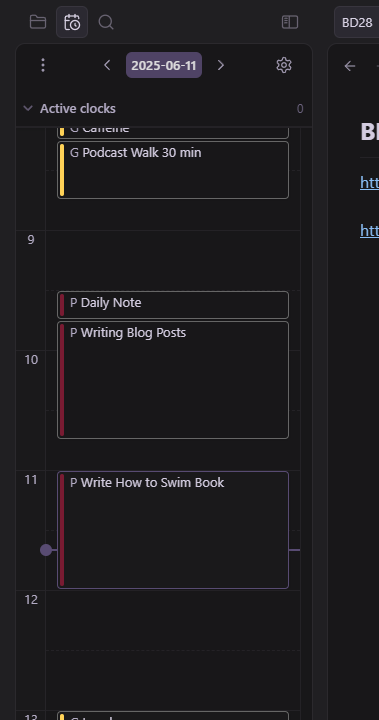
I think another factor is that it takes up potentially super useful side panel real estate. In order for it to be useful size wise, at least on a 1080p display (maybe 1440p or 4k will be different), then you need it to take up about two thirds of the side panel vertically.
Leaving only the Journals month type calendar at the top. Now personally I use my bookmarks, and todo list note on that same area. Sometimes a database single day view on that, as an alternative task management option. However you need so much space needed for the calendar.
Managing Side Panel Real Estate
I even tried to vibe code "extra side panels", which essentially added two new panels to the sides. Giving you double the amount of room to add various visual plugins. I could see an RSS feed being useful here too, or something like OSINT, habit tracker, word counter, pomodoro, etc.
Thus when you want to make it an all in one, then you have to think about how the spacing is allocated visually. Now extra side panels, or expanded side panels would be a great addition. Especially since I primarily work off of an ultrawide display.
Artificial Intelligence* or Jarvis
There are roughly 60+, probably a lot more, plugins geared around using AI in obsidian. Most of them all doing the same thing, some of them doing some interesting organizing of the vault, and others working more with claude.md or openclaw, etc.
In my opinion you shouldn't use ANY of them.
Here's why.
Most of the plugins require API access to a cloud based AI service like OpenAI, Anthropic, or whatever LLM you prefer to use. However that leaves you completely exposed. All of your private data, notes, databases, and the rest get read and logged by whatever ai company you choose to use.
I for one do not want to give up my data like that, and will wait for a local LLM to organize my vault using AI. I know that a lot of the plugins do let you use Ollama, but you still need the hardware to use LLM's.
Ugreen and Minisforum have a "NAS" or network attached storage, which are back up storage computers. Although they are smart NAS, with full fledged servers on them, and even AI NPU chips to run the local models for you.
Other computers from Minisforum, or some other mini pc brands do have local LLM capable desktop mini pcs too.
Until that point I think it is wise to hold off just a bit longer. There are other ways to utilize AI right now, and when the time comes I'll also be making posts about it!
While its not QUITE there, it is the closest you'll get!
I'm going to keep trying of course, and I think the more AI works in a RAG format, with perhaps also claude.md; Then the interaction with your obsidian vault will improve immensely.
I do not think that using ai will replace the need of having a tool or vault. In fact I think the best outcome is that of we using the app normally/natively. As in going in and daily journaling, etc. Then interacting with the wider parts of the vault, with the aid of AI and information retrieval. A combination.
I made this post to share with you how I have done it so far, and hopefully help those on a similar endeavor to make it an AiO!


