![Official Website for Dustin Miller PolyInnovator [LLC]](https://www.polyinnovator.space/content/images/2025/03/polyinnovator-logo-2024.png)


Brief: saves ARE transferable, unlike what most people think...
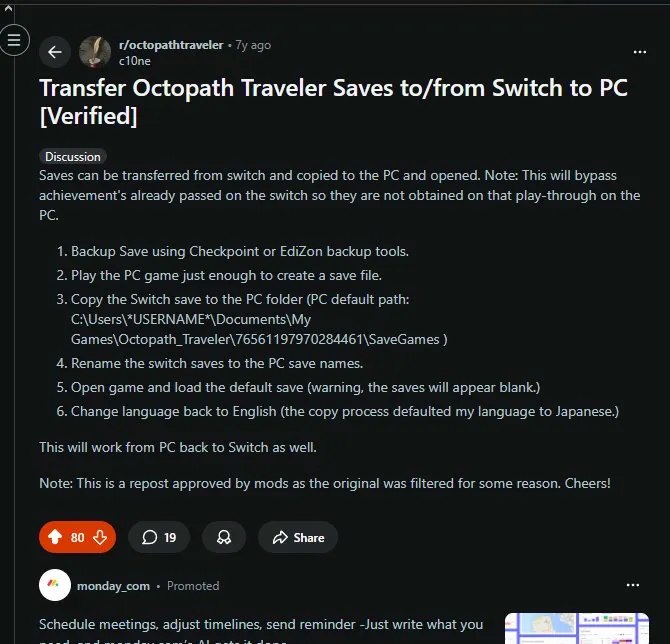
I saw this post on Reddit that gave me a bit of hope, but this was basically one of the only sources I could find out there. However it just made sense to me that Octopath should be compatible, since it is so very cross platform. Honestly a cross save wouldn't even be hard for them to do!
I was having HELL with Octopath on emulator, despite having a capable enough device. From constant unreal engine bloom issues, turning the entire screen a BRIGHT blue/yellow/red, to slow downs, to even slow downs to 1 FPS literally, and eventually just full on crashes.
I realized that the best thing to do would be to play on the PC version, as I didn't want to play on Switch. I've noticed after making the shift, that I was actually getting motion sick and focus headaches from the blurry and low fps switch version. The crisp and high refresh of the PC, even at high settings on the same device, just feels so much better.
Achievements won't unlock for progress made on emulator.
This is what the ai told me, but achievements loaded in as soon as I started the game. Then when I got into battle more achievements loaded.
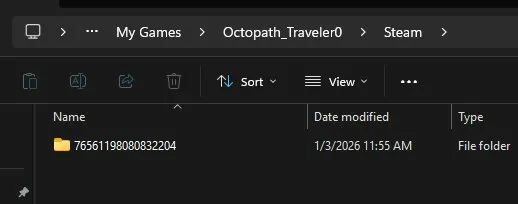
For me the steam games files were in my documents folder, which I think is common.
What You'll Need
- Flashdrive/SD card reader
- A save manager app (ES-DE or similar data manager — NOT the raw file system)
- Octopath Traveler 0 on Switch (hardware or emulator) and on PC (Steam)
Basically I had my game on the legion go, and in some of your cases you'll be having it on your switch device. HOWEVER, this method is not tested with a real switch, and I do not know how to get save files off of the switch. That is something you'll have to look up, this post is simply meant for when you have the files.
Step 1: Find the correct save folder
- Don't browse the raw file system — use a data/save manager app (eden emulator had a specific settings for it)
- Find the folder for title ID 01007EF00011E000 (I think this is Octopath 0's ID)
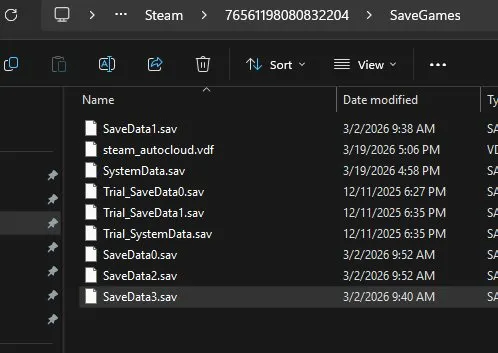
- The files inside are already named correctly (SaveData0, SaveData1, etc.) — just missing the
.savextension
You'll need to probably make a save file real quick, right after leaving the house you can go save. Just to make sure the game has set everything up first. Plus it made it easier to copy the real saves over, as you know what they look like.
I ended up copying the wrong game over, as there were no indications that were obvious. Claude also TOLD ME that this was the game, but that was an hallucination because there were only two options in my first attempt to move the folders over.
Step 2: Add .sav extension
- Rename each file by adding
.savto the end
This is how the PC version reads the save file. I didn't test it without the .sav, but I think that you need to make the files match exactly.
Step 3: Disable Steam Cloud for Octopath 0
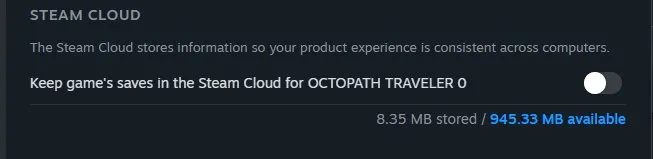
- Right-click game in Steam → Properties → uncheck cloud saves
- Prevents conflicts
This was simply because I didn't want the cloud sync to happen while I was moving the files over, and then testing while troubleshooting.
I did have some issues RE-Syncing afterwards, but basically you just turn it off and on again.
Step 4: Copy files to PC save folder
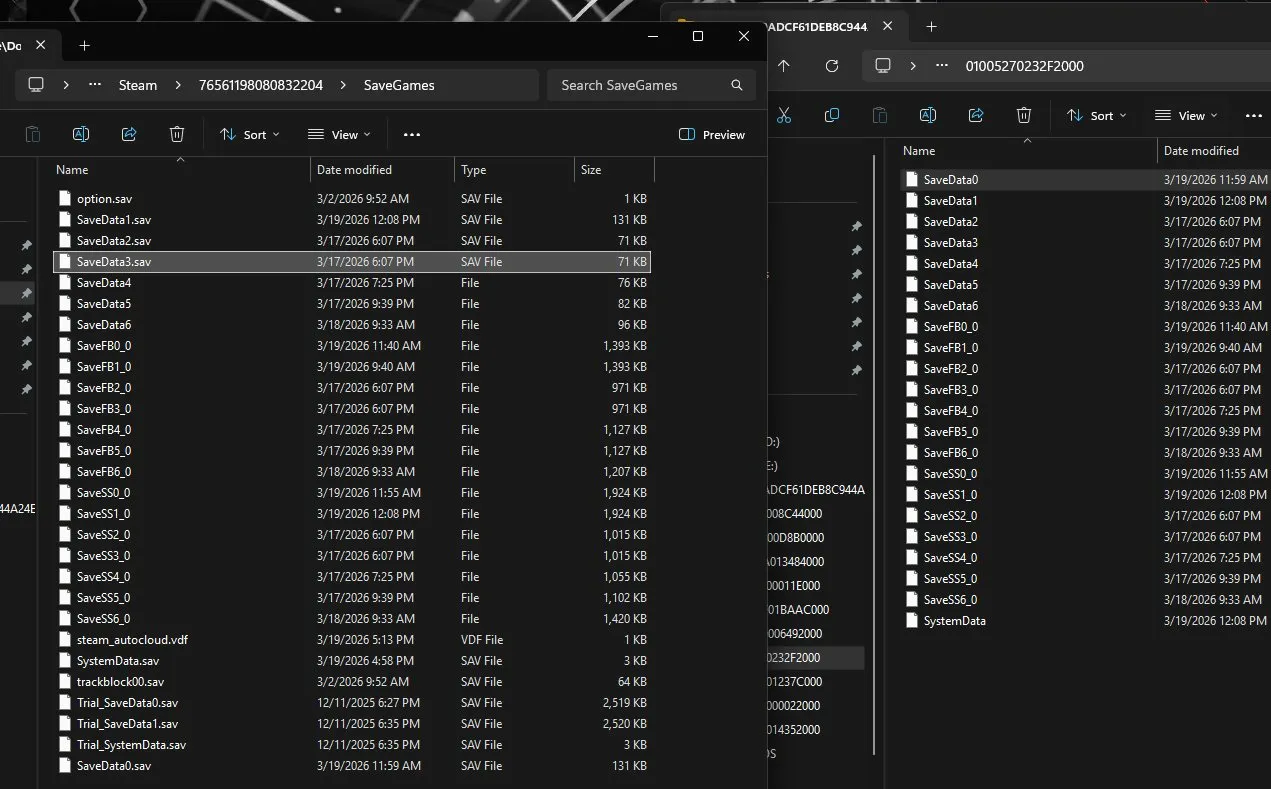
Documents\My Games\Octopath_Traveler0\Steam\[YourSteamID]\SaveGames\- Replace the existing files
The filename path could look different for you, this was based on windows, and I was pulling the saves folder off of linux too. There can be complications, but that is situational based on your setup.
Step 5: Launch and load
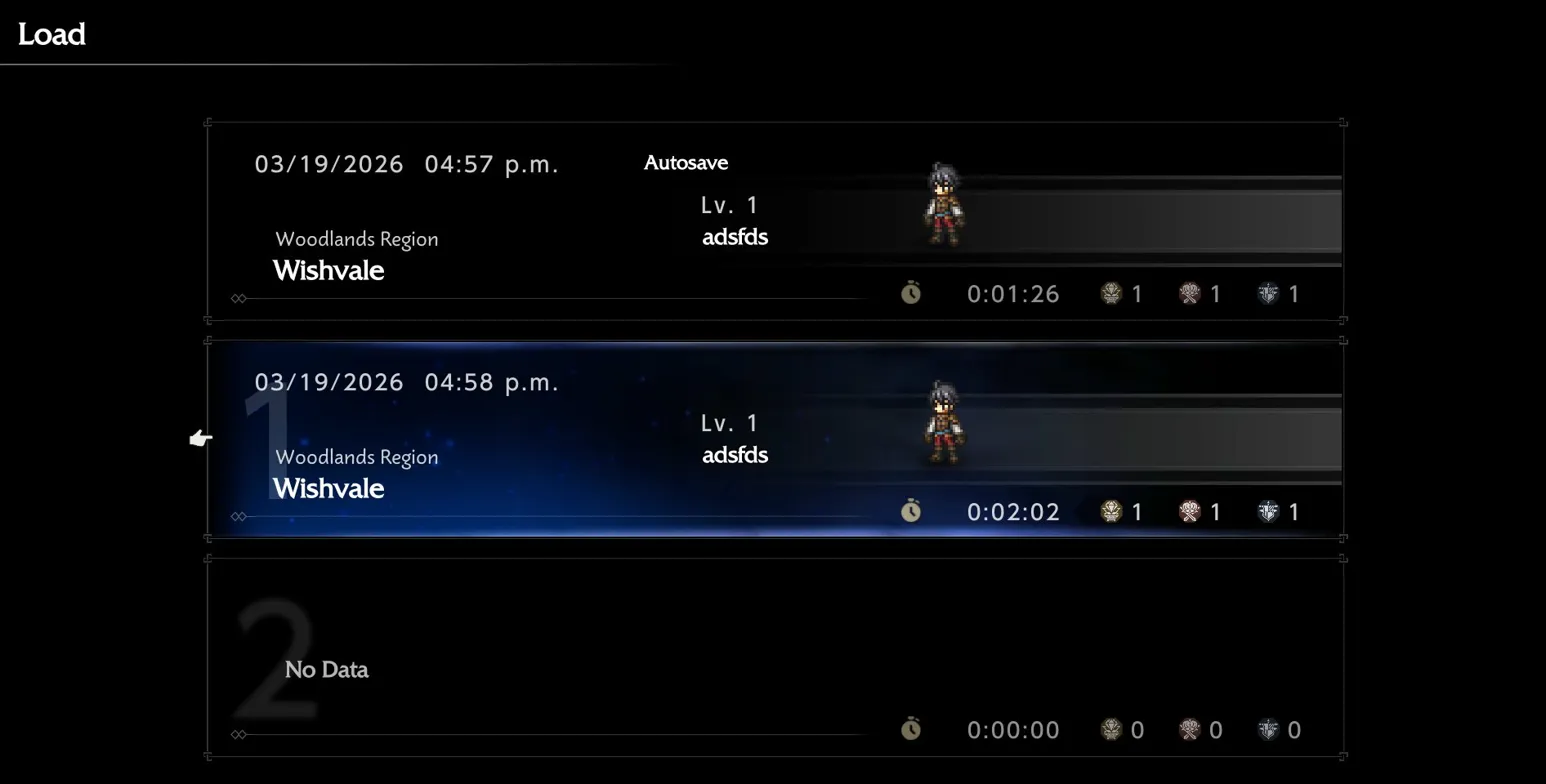
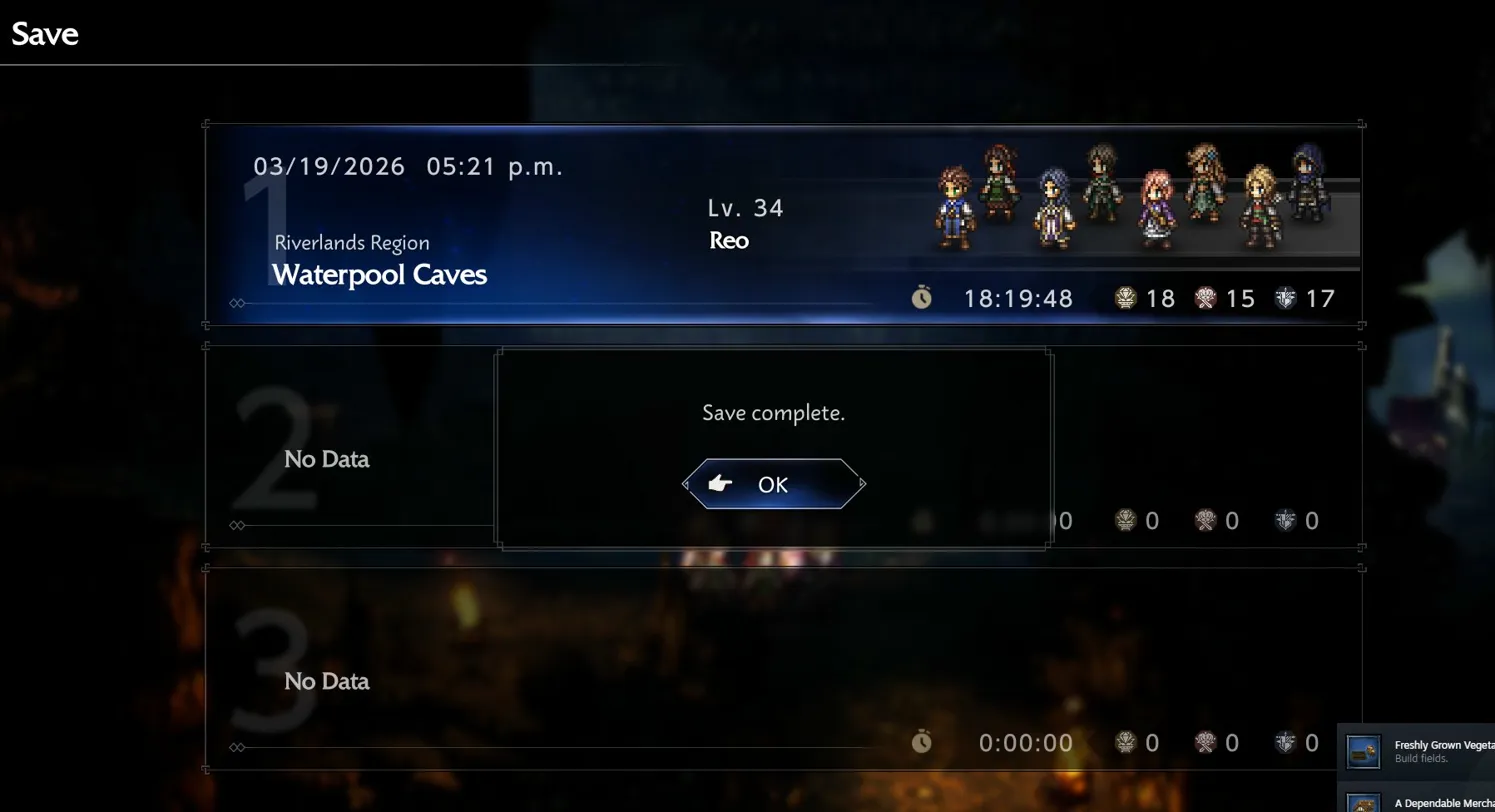
Once you have made a save, replaced it with your switch save, and then tested to make sure it shows up. That's when it will work!
Note: Depending on how cooperative it is, there may be a chance where your save won't SHOW, but it is there. I think actually that is what happened to me, it still showed my LAST save (the fresh one). However once I loaded in, it brought me to where I was on the legion go.
Then I just re-saved real quick, maybe a couple copies too just in case, and then it showed up the next time I opened it up!
Hope this helps!
I know this is sort of a niche problem, but I guess the method could possibly work for other multi-platform games too.
I really love Octopath, but I was not willing to restart the process. I had already played for dozens of hours, and I did not want to do the tedium over again.
Again if the save files don't "show up" after you move them, it could be that the old file is visually there, but not actually there.


