![Official Website for Dustin Miller PolyInnovator [LLC]](https://www.polyinnovator.space/content/images/2025/03/polyinnovator-logo-2024.png)


I created post as I have used at least half or most of the tools at some point. However as of late I have been focused on simply creating, rather than ideation or analytics, which these tools are more geared towards.
Thus my list is based on featureset, what other YouTubers have told me (many of them), and from what I can tell from my own standpoint. Unlike some of the other posts in this series I don't have many strong feelings on any individual tool.
TubeBuddy - After TubeBuddy's rather messy acquisition, and massive layoffs of employees. I can't really recommend it as much.
#5 - VidIQ
VidIQ though I feel also hasn't really iterated a lot either with the newcomers on this list. Their AI features can be useful, and their coaching can help you on your YouTube journey.
This is one of the OG tools in the space, and a lot of people use them for analytics on videos. I could be wrong, but they seem to be on somewhat of a comeback.
#4 - ViewStats
While not the most important tool on the market, as it is basically a prettier/more effective SocialBlade. This tool can help a lot with understanding your niche as a whole on the platform, and see what competitors are in your space are doing.
#3 - 1of10
It allows you to compare to other competitors, and helps you identify why other channels are growing 10x or 100x more than you.
I've been hearing more and more good things about it. While I haven't played around with much myself at this point. They seem to be on the rise too.
#2 - Creator Dashboard
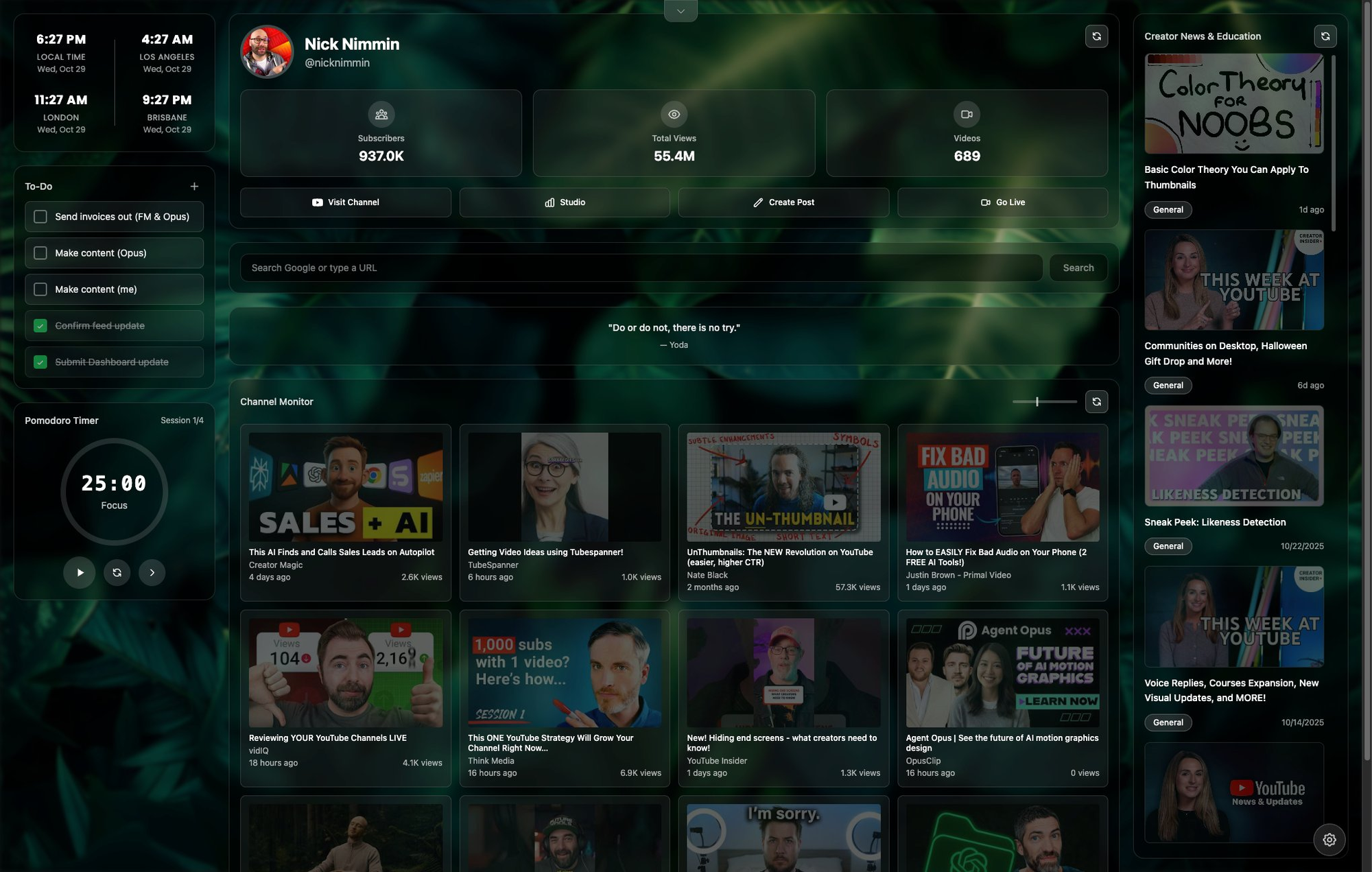
An extension and app created by the YouTuber for YouTubers, Nick Nimmin. While I am testing it out, it does seem quite helpful for most YouTube/Video creators!
#1 - Tubespanner
To me this seems like the modern version of tubebuddy or vidIQ, with extra flare and features to boot.
One thing in particular I find really exciting is the achievements too, which maybe that's just the Xbox gamer in me but still!
Being able to ideate, compare, and systematically plan out your content using a tool like this will help a ton of YouTubers.
Find the right tool for YOU:
 Dustin Miller | PolyInnovator
This is a link to a page that has the database within, and you can sort by tag for youtube if you need to look around!


