![Official Website for Dustin Miller PolyInnovator [LLC]](https://www.polyinnovator.space/content/images/2025/03/polyinnovator-logo-2024.png)


A category I've taken more interest in over the last couple years.
Streaming has been going through a lot of meta changes. From the "sacrilege" move from Twitch to YouTube, which nowadays doesn't seem that crazy. Back then it was! Now there are meta changes such as the advent of vertical streaming to YT shorts, and multistreaming (manually and syndicated), etc.
These are just a handful of useful tools in this category!
#5 - OpusClip
While not a streaming tool, it is the BEST Content Repurposing tool for your long form streams. Just simply throw them into it, and see what results it comes out with in clips!
I've looked at a variety of tools, from gaming clippers, to Nexus and Streamladder, which try to be multi-faceted. However none of them really hold a candle to Opus.
#4 -Stream Elements LIVE
Many people praise it for its various feature set, some of the best multichat, etc. It does have some room to grow to compare to some of the other tools on this list.
Stability tends to be an issue for a lot of streamers from what I am told.
In my limited experience I found the interface to be useful, but after some updates from these other tools on the list I'm not sure if it is AS useful!
#3 - Meld Studio
A tool that came out of nowhere when it first launched, and now is quickly becoming very widespread.
To be honest I most use it for recording! Haha, but it does make for a great simple multistreaming tool. Still requires you to have the CPU/internet power to handle multiple destinations, but they did come out with another tool to maybe help with that. https://multi.meldstudio.co/
They also have some interesting plans for multi-track recording, and even an integrated video editor down the line.
#2 - Aitum Stream Suite
This is something I am really excited for, as it combined all of their various plugins related to multistreaming into one thing.
Sort of taking the edge off of SE live for having it all in one, as before you had to download 2-3 plugins from Aitum (four if you count their automations one too) in order to get all of the features.
Aitum was the first on the market to bring out a vertical canvas for streaming software. Then other tools followed suit.
While it hasn't always been the favorite for some streamers, I think they have carved their place well in the space.
#1 - Streamlabs Studio
I have mixed feelings about calling this tool the best streaming tool, but the features don't lie. Disregarding any of their history at this point...
Having streamlabs pro gives you access do a COUPLE DOZEN tools in their suite, and that includes Crossclip which is really useful.
Streamlabs is also the ONLY tool on the market, maybe vmix, that can do multistreaming FOR YOU. Many people confuse this with the features of Meld or Aitum. Which yes ARE simulcasting your stream to however many platforms you choose to send to. However they are using YOUR PC's CPU power, and internet bandwidth.
Whereas Streamlabs is more akin to Restream, where it will automatically syndicate your streams FOR YOU in the cloud. Meaning you only need to send out one stream, or rather two streams if you are doing both vertical/horizontal orientations for however many platforms you are going to. I don't normally include links like this in these tools posts, but I'm dropping this link that explains it well!
 Read more by Ethan May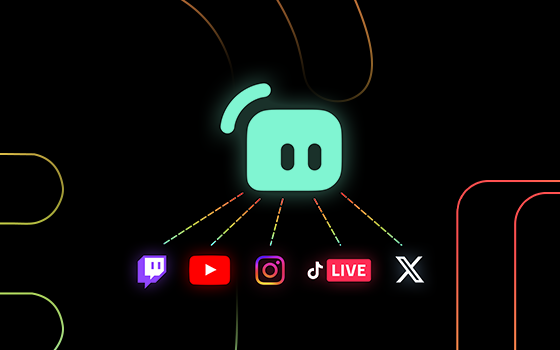
On the Topic of Multistreaming
 Dustin Miller - PolyInnovator
There are a few tools here on this list that actually let you do just that, and I will be making a post detailing each tool. However for now check out:
 Dustin Miller - PolyInnovator
Find the right tool for YOU:
 Dustin Miller | PolyInnovator
This is a link to a page that has the database within, and you can sort by tag for streaming tools if you need to look around!


