![Official Website for Dustin Miller PolyInnovator [LLC]](https://www.polyinnovator.space/content/images/2025/03/polyinnovator-logo-2024.png)


Funny that a "simple" notetaking app has become one of the most used productivity tools on the market. To the unacquainted it can seem overwhelming, the same feeling occurs with tools like Notion too, and personally I hated both when I first opened them.
Eventually I tried them a second time, and that is when I fell in love.
Not only was it customizable, but on top of that it had so many features baked in that let me just actually USE the tool more. I never found myself taking daily notes in any other app.
However in Obsidian the feature makes it so simple to do, and while I use a specific plugin for that now (which we'll get to explaining in a second), that alone was something that was useful. Since I moved to Obsidian, so many new core features, and added features with plugins have come too.

Understanding Obsidian: An Overview
It is foremost a note taking tool, and while there are many different methodologies, including my own PIOS - Polymath Integration Operating System, the point is that you can do what you wish with it.
My whole journey in PKM, Personal Knowledge Management tools, all started with the desire to organize my learning Modular Degree and my Content Production. Then with Journaling it helps me organize my life holistically, and keep my thoughts/feelings in order.
The Core Features of Obsidian
I'll include the screenshots of the core plugins just to paint the picture first. Ignore the coloring as I have a special theme installed to make it look more like a CRT monitor/ Fallout.
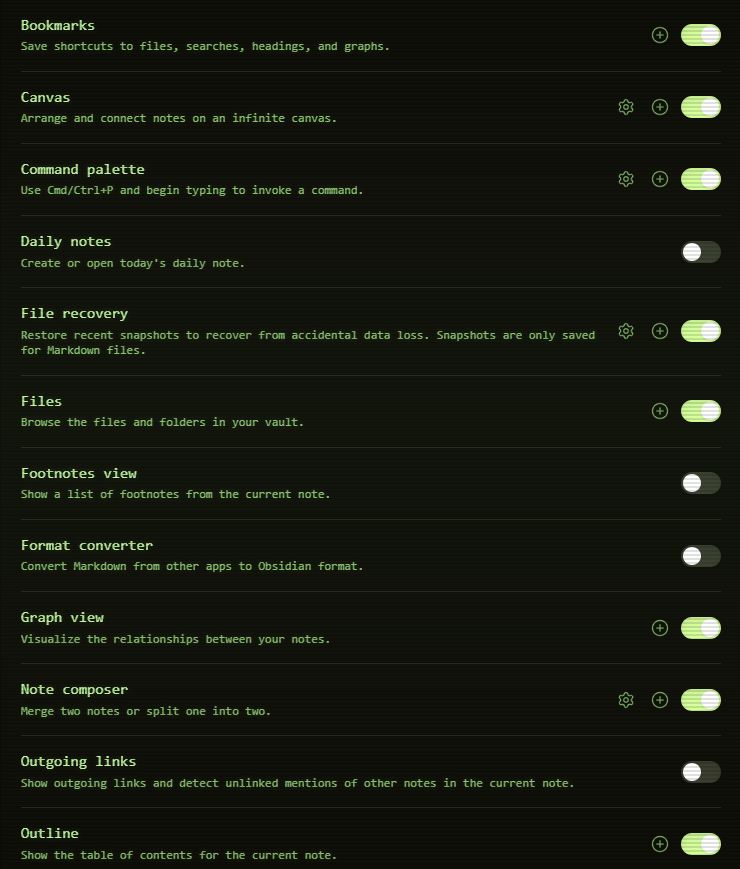
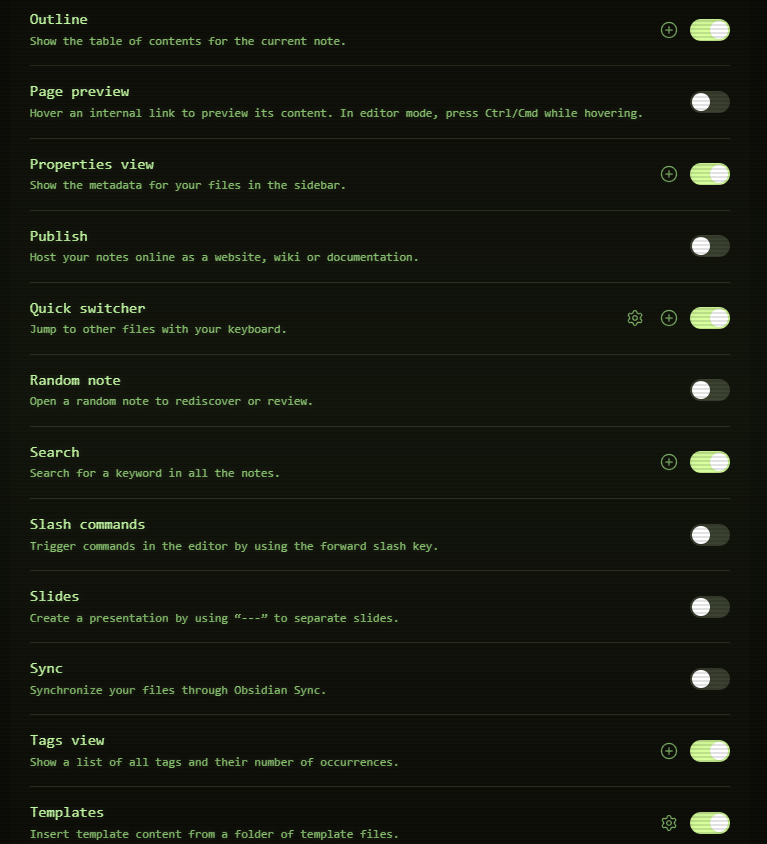
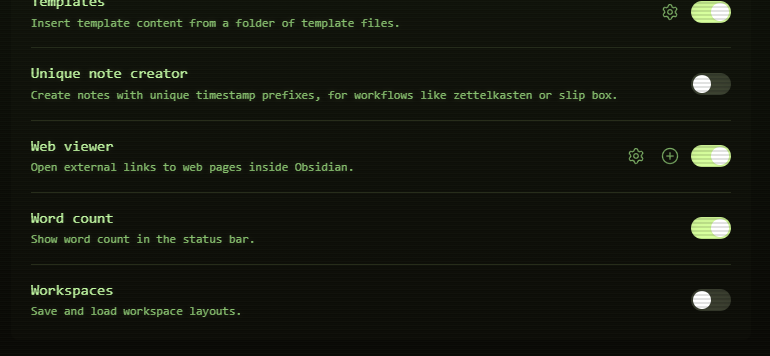
I wanted to do this to paint the full picture, it took three screenshots just to show it all. Now some of these are redundant or may not be important to you. Backlinks are something that are cool for making your vault more interconnected, or really SEEING how the vault is connected. Note: Vault is the folder of your Obsidian that you are using.
I think the most important ones you should consider would be:
- Canvas, which is like a mind mapping tool.
- Bases, the project management feature that they added relatively recently. Super useful, and has changed the game for me.
- Web viewer, a literal web browser essentially.
- Graph view, a brain looking screen that lets you see your whole vault visually.
- Command Palette and Slash Commander, which allow you to DO things in your vault more easily.
Those are the main core features I think make it stand out, and in general you want to keep an "introduction" post simple. haha
I'll explain more about features in the later section about PLUGINS!
Using it for more than just Notetaking
While that is what it is technically made for, there are people who use it for a full PKM tool like me, others use it to write their manuscripts, research their PhD, organize DnD campaigns (or video game development too), and many more use cases. There is also no reason why you couldn't do all of the above, although it may be wise in some cases to use separate vaults for that.
I personally haven't figured out a good calendar solution yet, but I think Obsidian can be that for you too. It can do your task management, project management, and even life planning.
 Dustin Miller | PolyInnovator
How Obsidian Works: The Basics of Note-Taking and Linking
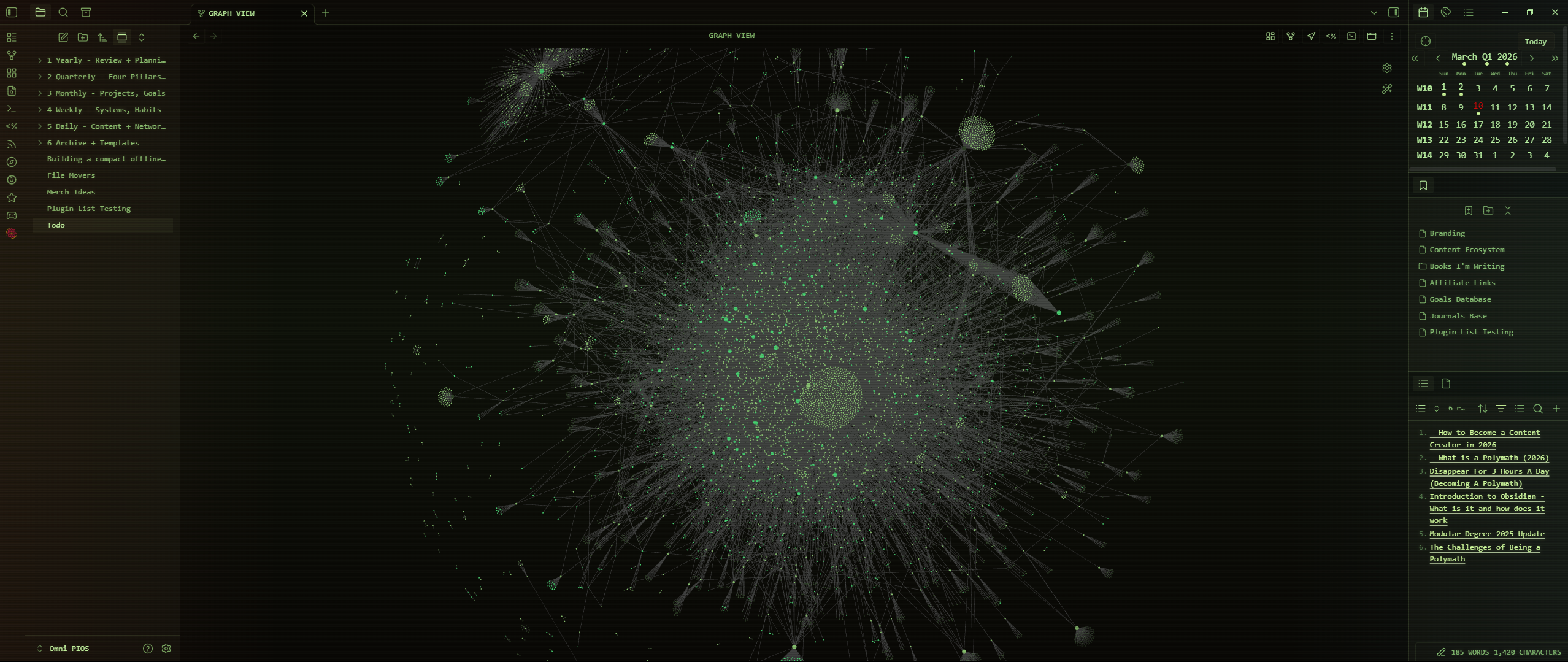
Do not feel overwhelmed by the screenshot, there are a lot of things to take in when you see that. I wanted to show you what my vault looks like, and some of the possibilities from the app itself (i.e. the special calendar on the top right).
I wanted this post however to be a simple introduction, with as much information dripped out over time as I could. Not all at once per se.
The main I guess you can say notable thing about Obsidian that people often think about is the linking mechanism. Which up until recent years was mostly all manual, although now there are like 60+ AI plugins that help too.
If you have a tag on let's say an article you download, as well as on a journal entry or a blog post you created (i.e. like the one I am writing now will be saved in my vault). Then those notes (all three are notes) can be connected. You can see in my screenshot the visual representation of those connections. I have around
7500-8000 notes in my vault, as well as around 7000 images. Totally around 14,000ish items in my vault. While they are organized from a folder stand point, which is my personal preference, they are not quite tag organized yet (some others prefer tags).
I think that BOTH are ideal, and I can't wait until I do both. I currently have a plugin that allows my graph view (the thing in the image) to be modified via folder structure.
All green dots are folders and tags, all white dots are notes.
Setting Up Your Obsidian Workspace
My PIOS structure is based on time layers:
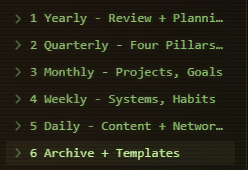
I find that this allows me to keep everything tied to a time layer, and while some things for me have moved around. I.e. my reading backlog is in my Modular Degree (learning framework I created), but my gaming and movie backlogs are just on my weekly layer, as that made most sense at the time.
I may move my Modegree down the line to go more in line with the others for example.
Additionally, each layer sort of follows an input and output modality.
For you however I would just simply start organizing a basic folder structure, you can copy mine, or you can just do PARA method for the time being. I'd avoid the GTD framework and Zettlekasten, they sort of overcomplicate things. To be frank so does the PARA method/second brain philosophy. All three were made before these tools were created, so they don't adapt well in my opinion. Hence why I created the PIOS.
Exploring Obsidian’s Capabilities and Use Cases
Over time you'll explore and learn new features, and even recently they added new cool things. Such as a maps view for Bases, and so you can create your own map organization for traveling offline.
That is another reason why I started using it, as it is completely offline. That makes things a little complicated with syncing across devices. As there are a few ways to do it, I tried the official sync but it didn't work with my huge vault for whatever reason.
Conversely, I had so much hell with my internet provider in my previous home that I kept losing access to Notion, and I couldn't work at all.
Obsidian is great because it is a lot faster due to being local, and you don't have to have a connection to use it.
While you might use the tool for writing, you could use it to plan out your projects in life, your areas of expertise, travel plans, or even just tracking recipes.
Getting new plugins:
While you could go to the marketplace within the Obsidian app itself, they have about half of all of the plugins there after all, and it makes it easier to install. The fact that only half (maybe even just 40%) of the plugins are there. Means you are missing out on a ton. There are tons of beta plugins that could be the thing you're looking for

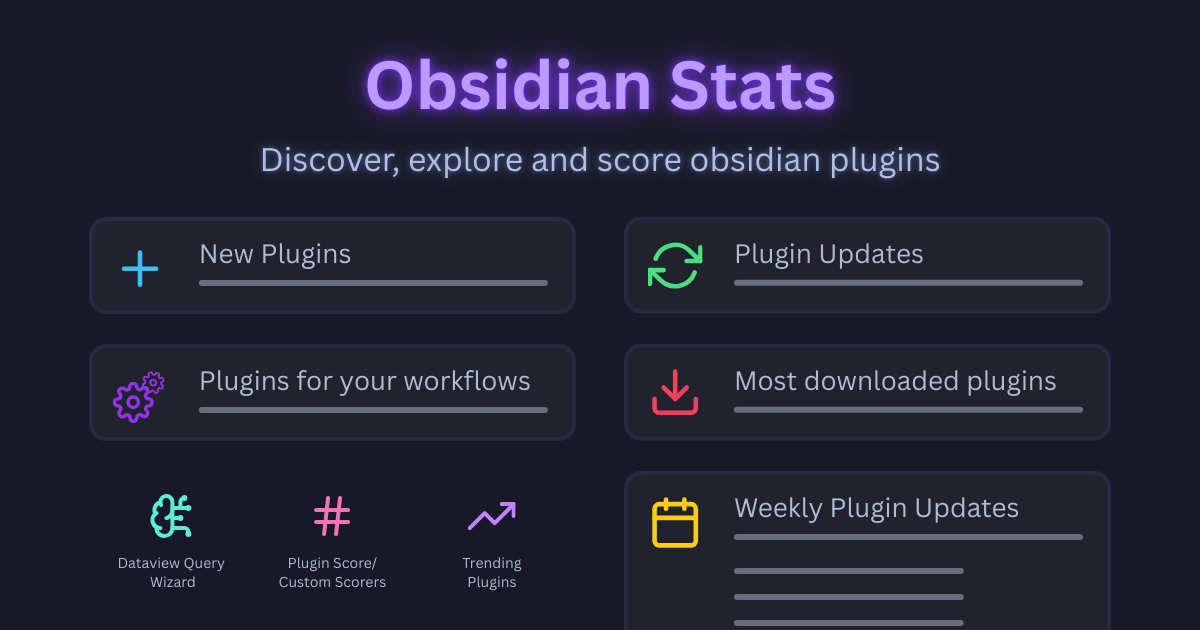
While plugins on the marketplace are officially stamped by the obsidian team to be trustworthy, that doesn't mean that the beta plugins are unsafe. It just means they are so new, that they haven't gotten approved yet. However I would still mention to have an air of caution when trying beta plugins.
Examples of Useful Plugins
I'm only going to give a few examples of plugins I actually use, rather than list out a bunch I have tried or liked. There are some plugins that everyone uses too, such as Tasks, Templater, and Dataview.
Journals (not beta):
The core daily notes plugin is very limited, and of course only does DAILY. Not any of the other layers, and since my system is built on that time layer system it is very important to me to have all of them. I even added decade notes for future reference. I used to use the Periodic notes plugin, which has garnered some attention. However its calendar is limited, and the settings for it is limited as well.
Whereas the Journals plugin has a better calendar, all time layers are clickable. I.e. week, quarter, year, etc.
It is also more customizable, I even have it configured to have the notes auto open in designated folders, with individual templates pre-determined.
 srg-kostyrko
Calendar / Kanban View - Obsidian Bases (both beta):
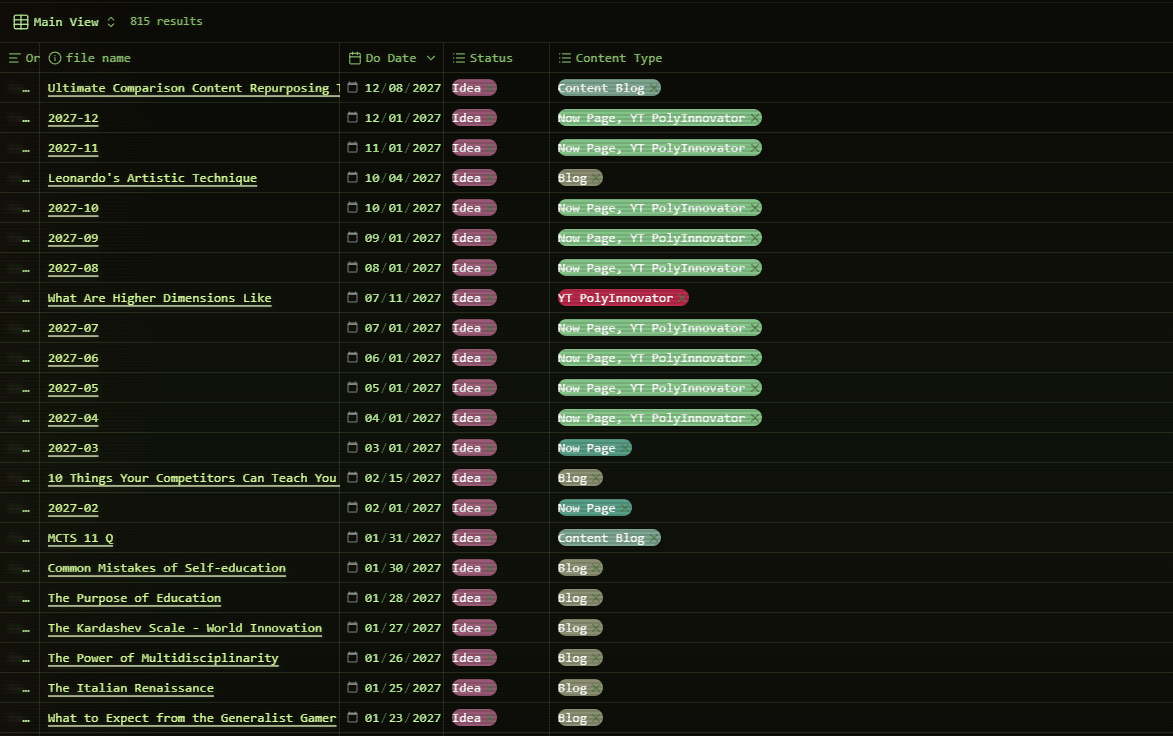
While there was a kanban plugin for a long while, it isn't merged with the Bases feature. I also never had a working calendar plugin in Obsd before, and I wanted to plan out my whole 2026 year worth of daily content. Since it is a content plan, then I wanted to see it visually on the days. This gave me a way to see it on a month view for example.
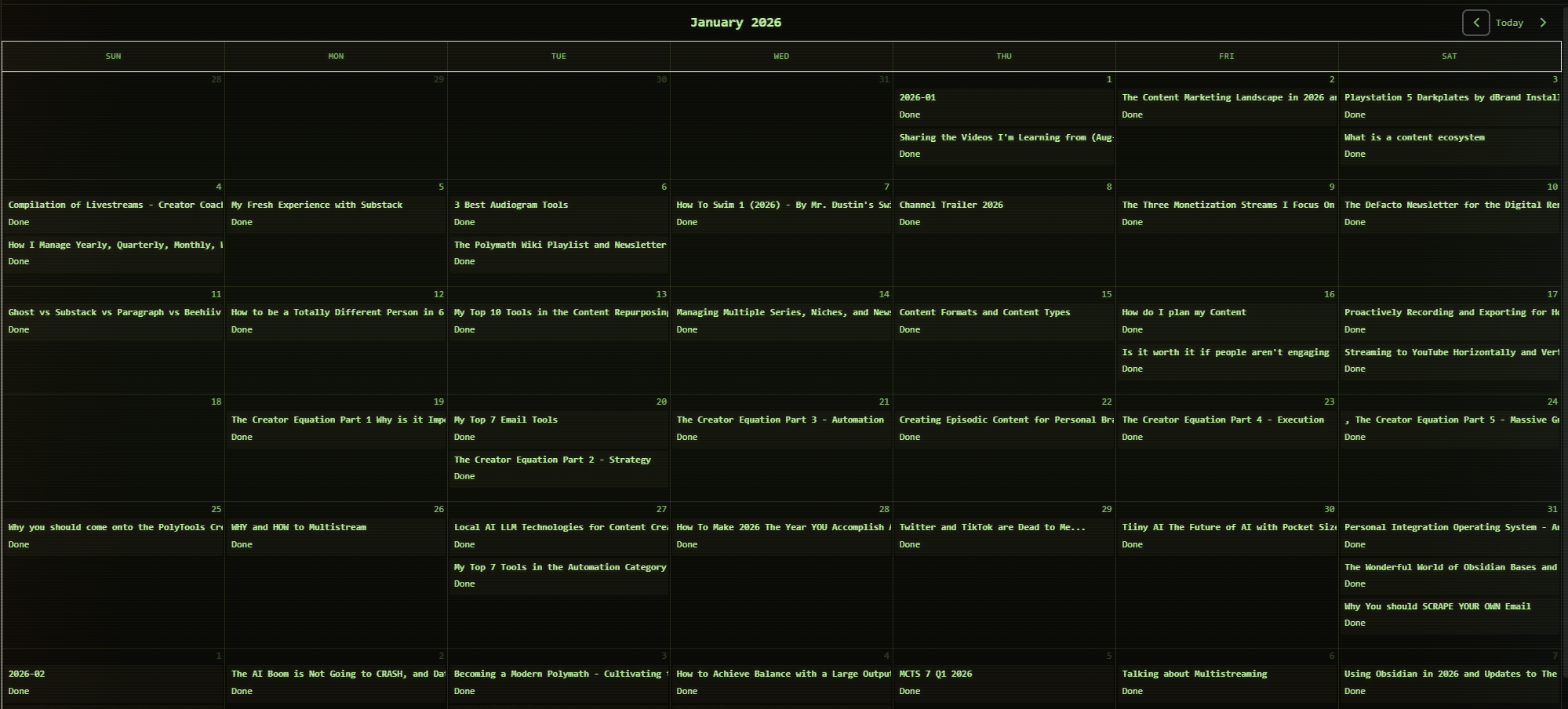
Do note however that both calendar and kanban views should be coming EVENTUALLY to the main Bases core plugin. It is just taking a long while.
 xiwcx
xiwcx
Note there are like a dozen of these, this is the one I landed on that seemed the most stable.
 edrickleong
I've tried all the others, none of them work as well as this one, but its limited to only the month view.
Sync Embeds (beta):
Relatively recently I came across this one, and so I can't say how useful it is to everyone. Though the featureset is very cool:
In the core features of obsidian you can [embed] another note within a note. Meaning like for example I was wanting to embed my Quarterly Notes, WITHIN my Yearly Notes. That way I can do some macro planning at the start of the year, or periodically, from the yearly note. However the core feature is only one-way, and it is simply a VIEWABLE embed. Not editable, and clicking twice to get to the note is fine. However any time saved does add up.
This plugin allows you to do a special embed, [sync-embed] which allows you to have an actual editable note within the grander note (that isn't the syntax you use to do it btw, just an example).
 uthvah
Getting Started: A Simple Guide to Using Obsidian
I would just install it and play around with the interface too. Go into the core plugins, and turn on or off the stuff you think you'll need.
Try to create a folder structure for your organization, copy mine, or copy another creator's format. I'll be releasing my template here soon, and I'll update the post with the link.
Now there are some plugins that pretty much most Obsidian users agree that you should have: Tasks, Templater, and Dataview. I personally suggest using Journals for your daily/weekly/monthly/quarterly/yearly notes. Also RSS Dashboard and Multi-Properties for some usefulness factors. However it may be wise to slowly test out new plugins, and only add one at a time for your sake.
Note: Some plugins I mentioned I use, like the Calendar View for Obsidian Bases, you have to use a tool called BRAT to install the beta plugin. That may seem a bit advanced, but think of it like going around the regular marketplace of plugins for an expanded range of plugins. Still be careful though.
I have plenty of content for more advanced users of Obsidian you should check out when you are ready!
Learn more from the tag on this site!
 Dustin Miller | PolyInnovator